
I get why a millennial digital planner side hustle feels so appealing right now. Rent is up, groceries cost more, student loans still loom, and a lot of us want extra income that doesn’t eat our whole weekend. I like this side hustle because it fits real life, not some fantasy schedule.
A digital planner side hustle means making reusable planner pages, trackers, and templates, then selling them online. Think budget sheets, weekly layouts, meal planners, goal trackers, or tablet planners made for apps like GoodNotes. The big draw is simple, startup costs stay low, and one product can sell more than once.
That doesn’t mean easy money. It does mean a flexible way to turn everyday planning habits into something useful and profitable.

What makes digital planners a smart side hustle for millennials
For me, the best part is how practical this business feels. I don’t need inventory, shipping labels, or a garage full of boxes. I can build a product on a weeknight, improve it over time, and sell it while I sleep. That’s a lot more realistic than side hustles that demand live hours every day.
This also fits the way many millennials already live. We track budgets, habits, appointments, content ideas, and health goals because life is busy. In 2026, shoppers are still buying planners that help them organize money, wellness, work, and family life. Current Etsy trends show strong interest in hyperlinked layouts, wellness tracking, goal pages, finance pages, and custom sticker extras, especially for people who want less paper clutter and more flexibility on tablets.
You can start small without a big budget
I love that I can begin with basic tools. Plenty of sellers use Canva for digital planner creation before they ever touch advanced software. If I can drag, drop, and keep a layout clean, I can make a sellable first version.
That matters because most new sellers don’t need a giant shop on day one. A simple debt tracker, a weekly reset planner, or a clean meal planner can be enough to get started. Then buyer feedback does something useful, it shows me what people want more of, what feels confusing, and which pages they skip.
A simple planner that solves one problem often sells better than a giant planner that tries to solve everything.
The best products solve real everyday problems
The strongest digital planners aren’t fancy for the sake of it. They help someone do a hard thing with less stress. That’s why pain-point products tend to stand out.
I keep seeing the same themes because they match millennial life so well: money tracking, meal planning, side hustle planning, goal setting, content calendars, habit trackers, and burnout-friendly weekly pages. A person trying to pay off debt wants clarity. A freelancer wants a calm workweek. A parent wants fewer moving parts. A creator wants a content system that doesn’t feel like chaos.
When I browse digital planners for 2026 on Etsy, the products that make sense fast are the ones that feel most useful. Clear purpose beats extra decoration every time.
How you can choose a planner niche that people will actually buy
The biggest mistake I see is making a planner for “everyone.” That usually turns into a bland product with no clear buyer. If I want people to care, I need a tighter angle.
A niche doesn’t have to be tiny. It only has to be specific enough that the buyer says, “This was made for me.”
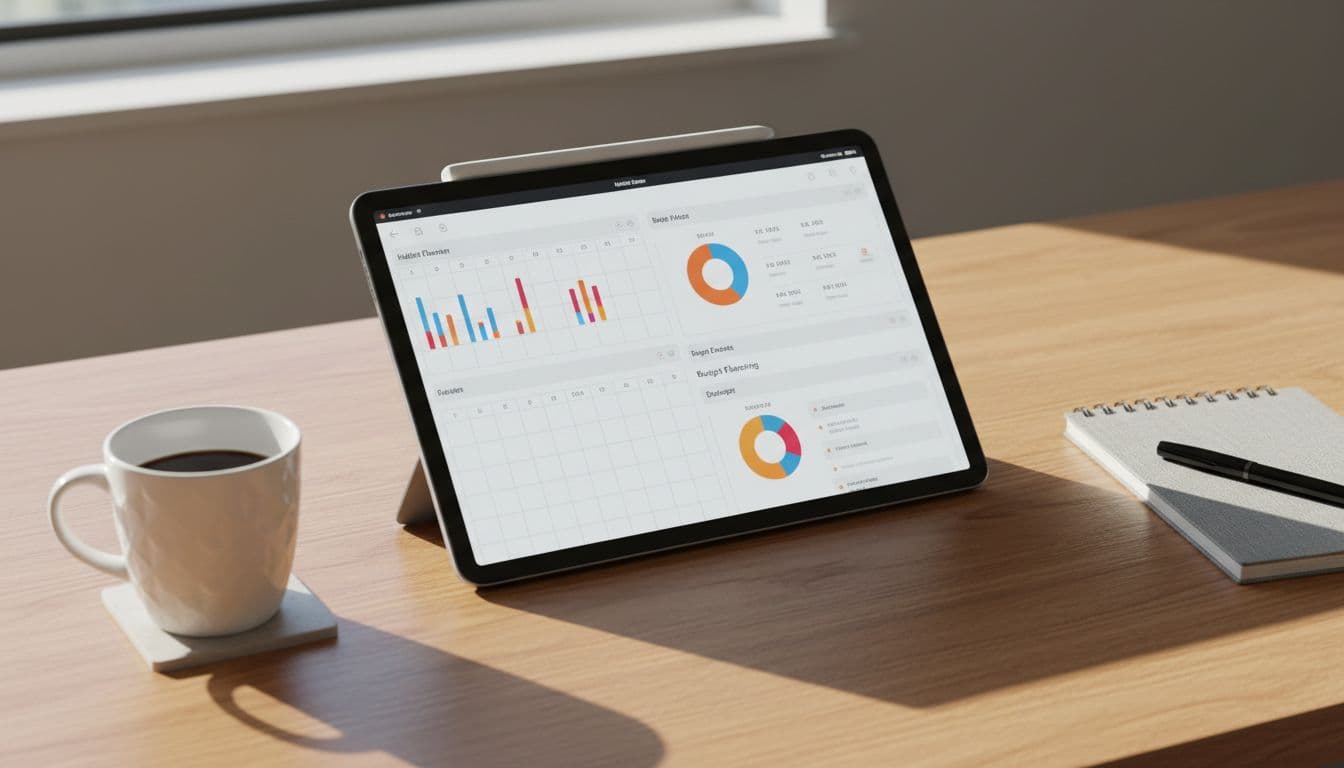
Budget and habit tools remain strong planner themes in 2026.
Start with a niche you already understand
I always think it’s easier to sell to a group I know well. If I’ve juggled freelance work, I probably understand what a freelancer needs in a planner. If I’ve paid off debt, I know what makes a budget page helpful instead of annoying.
That lived experience shapes better pages. A planner for busy parents might need quick weekly meal blocks, shared schedules, and low-prep routines. A planner for teachers could focus on class planning, grading, and monthly pacing. A wellness-focused planner for millennials might include mood checks, habit streaks, and a softer weekly layout for people trying to avoid burnout.
Personal insight helps me write better product titles too. I can speak like the buyer because, in many cases, I am the buyer.
Look for planner ideas people already search for
I don’t need to guess from scratch. I can study what people already buy and where they’re still frustrated. Search results, product reviews, and shop pages reveal a lot.
For example, debt payoff planners, ADHD-friendly planners, wedding planners, content planners, and digital budget planners already have clear demand. When I scan best digital planners for 2026 on Etsy, I notice how often top picks combine structure with real-life needs, like budgeting, habits, and daily focus.
Reviews are gold here. Buyers often say what they wish a planner included, what felt hard to use, or what made a product worth the price. That’s where gaps appear. If many planners feel too busy, I can offer a calmer layout. If they miss meal pages or debt snowball sheets, I can build those in.
How to create and sell your first digital planner without getting stuck
This part trips people up because it’s easy to overbuild. I know the temptation, make a full life planner with 400 pages, stickers, covers, and ten color themes. That sounds productive, but it’s often a stall tactic.
My best move is to create one useful product fast, test it, and improve it after real people see it.

Starting small makes the first product easier to finish and list.
A quick format check helps before I start designing.
| Format | Best for | What I like |
|---|---|---|
| PDF planner | Printables or simple downloads | Fast to make and easy to test |
| Hyperlinked tablet planner | GoodNotes or Notability users | Feels polished and interactive |
| Notion template | People who plan on desktop or phone | Flexible for tasks, content, and projects |
If I’m new, the simplest route is often a PDF or a small GoodNotes-friendly planner. A Canva digital planner tutorial can help with layout and hyperlink basics without turning the process into a tech headache.
Pick a simple format and build the first version fast
PDF planners are the easiest starting point. They’re great for budget sheets, habit trackers, meal planners, and printable bundles. If I want the tablet crowd, a hyperlinked planner for GoodNotes can work well, especially since 2026 buyers still like quick jumps between monthly, weekly, and daily pages.
Notion templates are a smart option too, but only for the right audience. I wouldn’t force a Notion system on someone who wants a handwritten iPad feel. Match the tool to the buyer’s habit, not to trends.
I also keep the first product narrow. A digital budget planner with monthly check-ins is easier to finish than an all-in-one life planner. A side hustle planner for content and admin tasks is easier to market than a vague productivity bundle.
If the first version feels a little plain, that’s okay. Clear and useful beats pretty and confusing.
Make the buying experience easy and clear
Buyers don’t want surprises. They want to know what they get, how it works, and whether it fits their device. So I make that obvious in the product listing.
My product photos need to show the planner in use, not just a stack of decorative mockups. Preview pages matter because they prove the layout makes sense. Instructions matter because some buyers are new to digital planning. If the file works on iPad with GoodNotes or Notability, I say that clearly. If it doesn’t work as a phone app or editable Canva file, I say that too.
Before I list anything on Etsy or Shopify, I test every tab, every link, and every download file. One broken hyperlink can turn a happy sale into a refund request. I also keep the description clean and specific. People should understand the value within seconds.
How you can grow from one planner into real side income
A millennial digital planner side hustle gets more interesting after the first sale. That’s when I can stop guessing so much. I start seeing what people favorite, what they review, and what they buy together.
Growth doesn’t have to mean a massive catalog. A small product line can work if the offers fit together.
Bundles and add-ons can raise each sale
This is where smart add-ons help. If someone buys a budget planner, a debt tracker pack makes sense. If they buy a wellness planner, sticker sheets, dashboard covers, or monthly reflection inserts can feel like a natural next step.
I like bundles when the pages belong together. Budgeting plus debt payoff works. Meal planning plus grocery tracking works. Content planning plus goal tracking works. Random extras don’t add much if they confuse the buyer.
You can also make seasonal versions. New year planning, back-to-school organization, and holiday budgeting are all easy ways to refresh a proven product.
Simple promotion works better than trying to be everywhere
I don’t need to post on every platform to make this work. In fact, that usually burns people out fast. It’s better to pick one or two channels and show the planner in action.
Pinterest works well for search-driven traffic. TikTok and Instagram can help if I enjoy short demos. Email becomes useful once I have a few products and want repeat buyers. Some sellers later add mini-courses or workshops, but I wouldn’t rush there. First, I want proof that people like my planner style and system.
Consistency wins here. One clear product video every week beats random bursts of effort followed by silence.
A millennial digital planner side hustle doesn’t need a huge budget or a perfect brand to start. It needs one useful product, one clear niche, and one place to sell it. That’s what makes it feel so doable.
If I were starting this week, I’d pick one audience I understand, outline five to ten planner pages, and finish a first version before chasing more ideas. Start small, make it useful, and let real buyers show you what to build next.